 Productivity · macOS, with Windows and Linux next
Runlee. A fast, private launcher for your desktop.
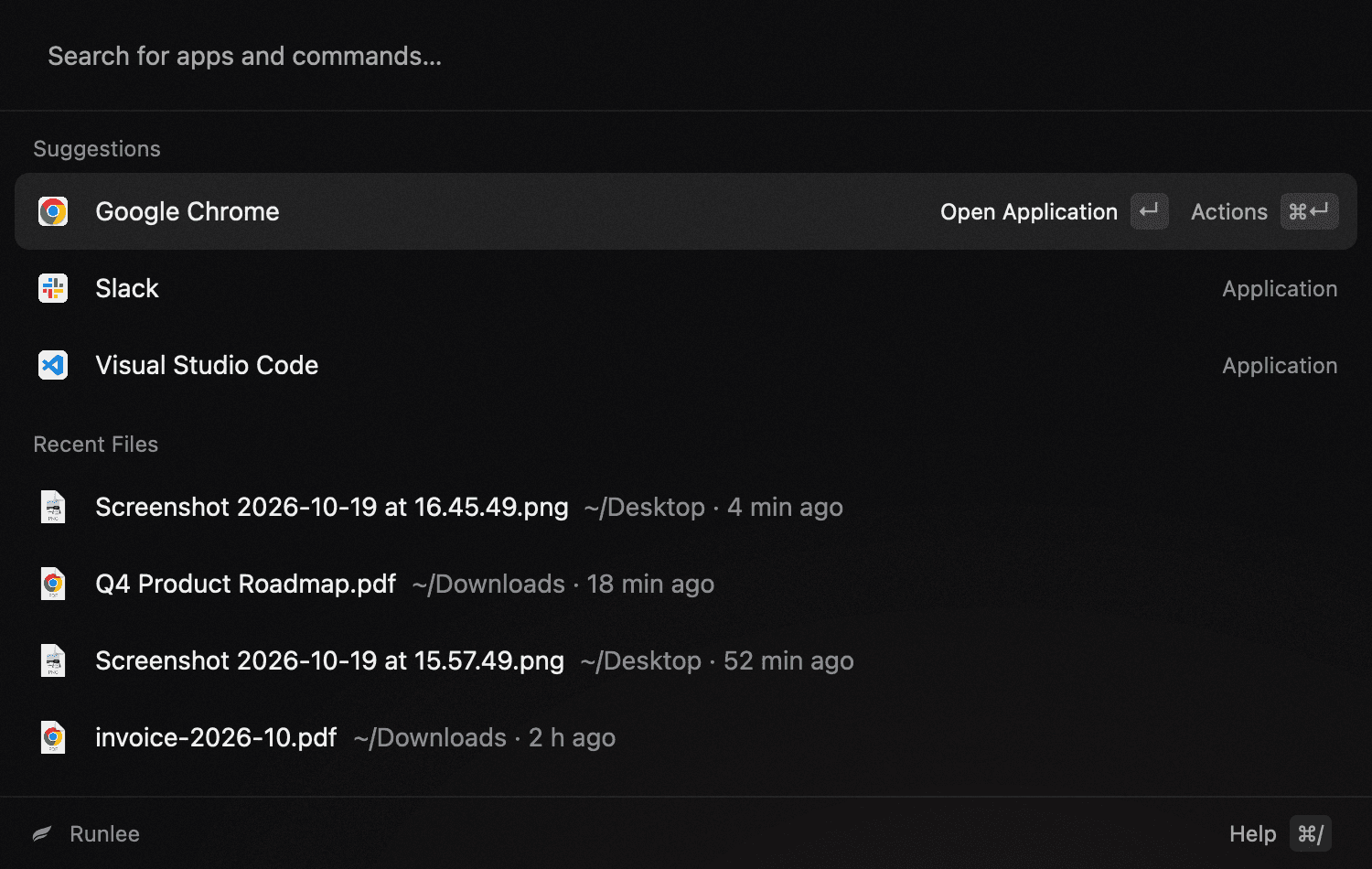
Find apps and files, paste from your clipboard history, arrange windows and do quick maths from one small window, without leaving the keyboard.
- Available for
- macOS 13 or later
- Coming to
- Windows and Linux
- Written in
- Rust
01 / Features
Every feature is built in, so there’s nothing extra to install or review.
- 01
Apps and files
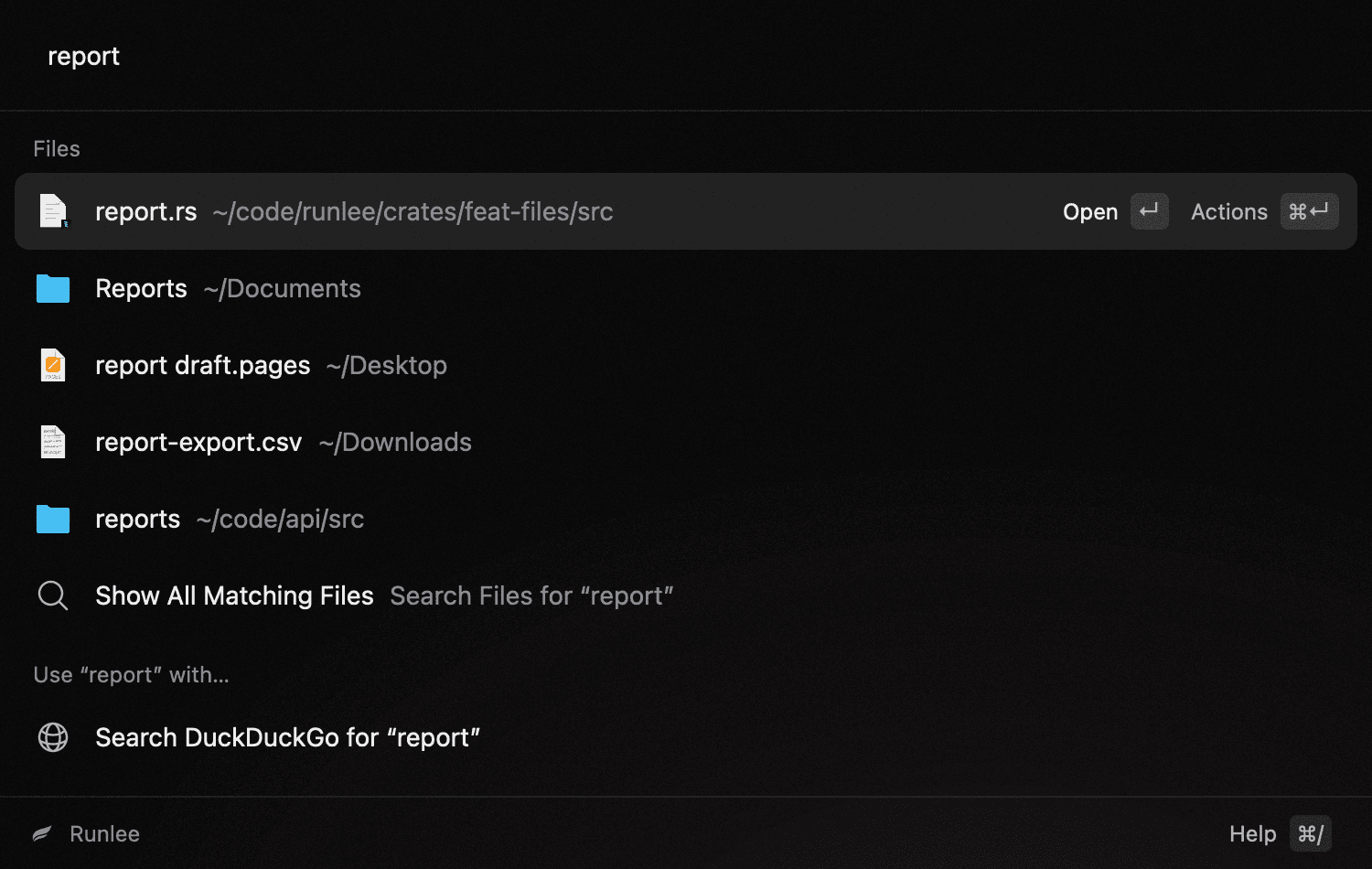
Type a few letters and fuzzy search finds the app or file. Acronyms work too, and the apps you open most move to the top. Typing folder/name narrows a search to matching folders. Runlee keeps its own index of the folders you choose and skips anything listed in .gitignore.
Try typingvscq4 reportwebsite/readme
- 02
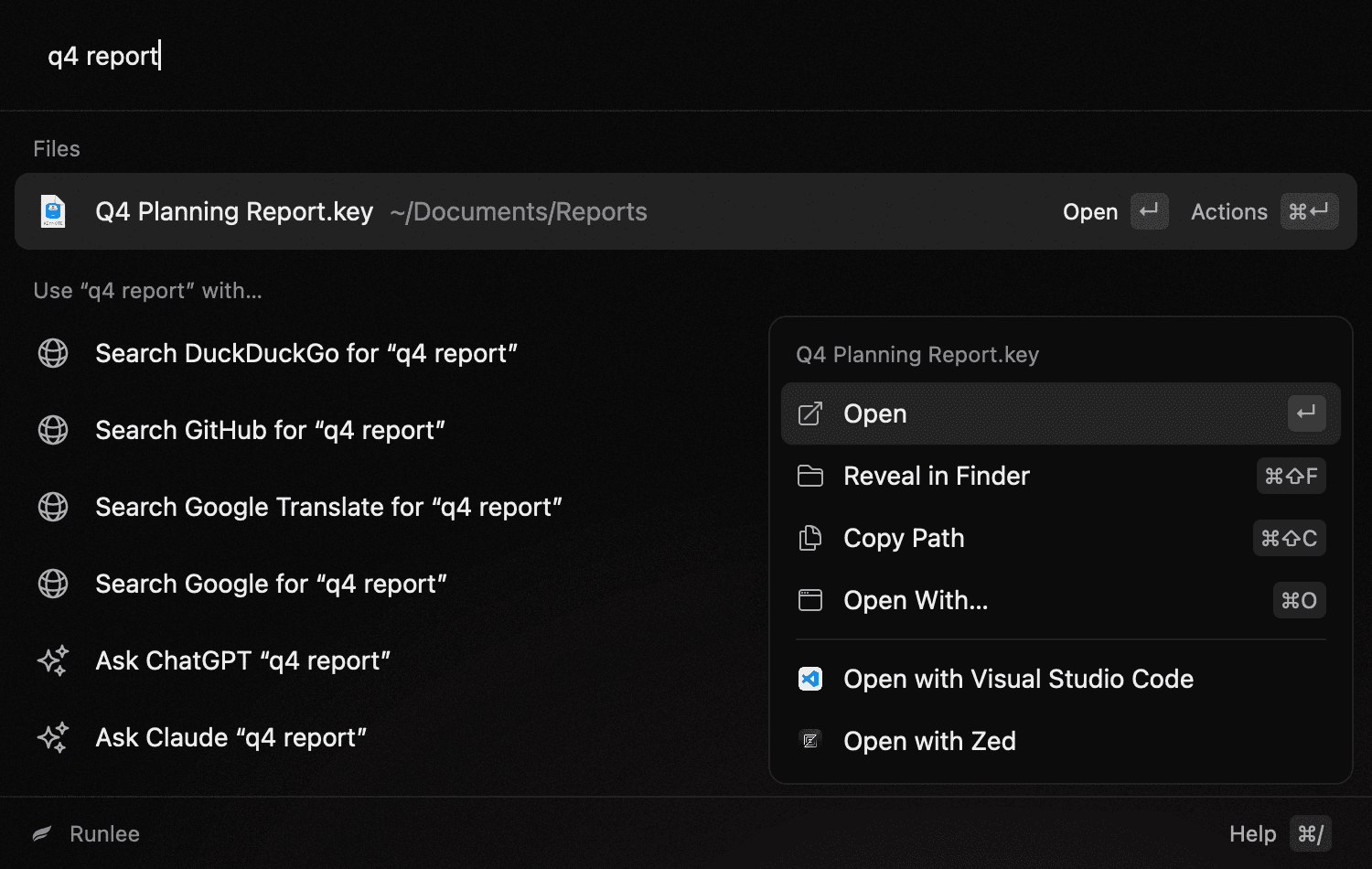
Preview and open with
Preview a file without opening it, or show it in its folder. Files and folders can also go straight to your editor, your terminal or any other app you add to the config.
- 03
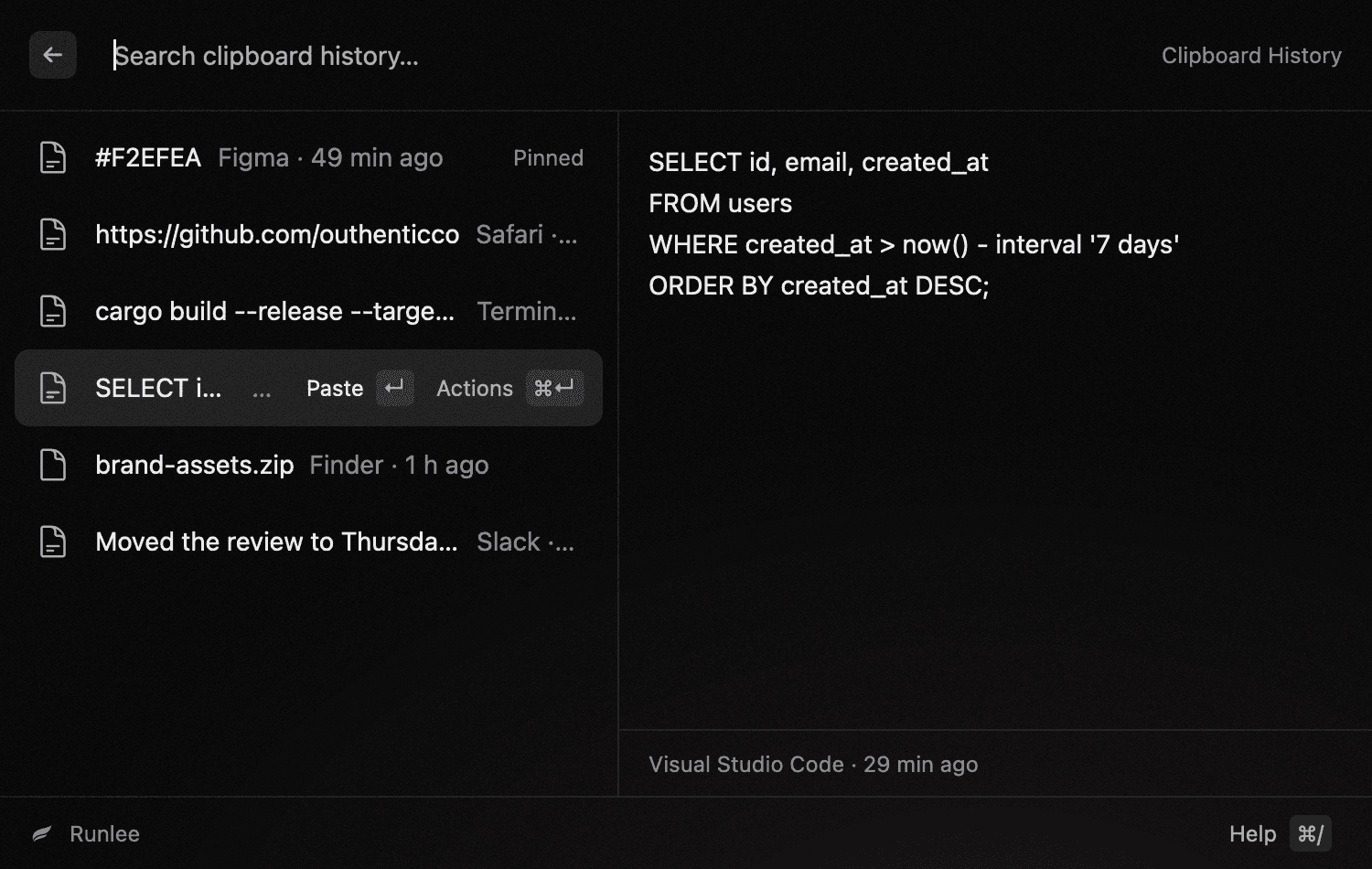
Clipboard history
Runlee keeps what you copy, including text, images and files, so you can search it and paste it again. Pin the things you reuse. Copies from password managers are never recorded, and neither is anything that looks like a password or API key.
- 04
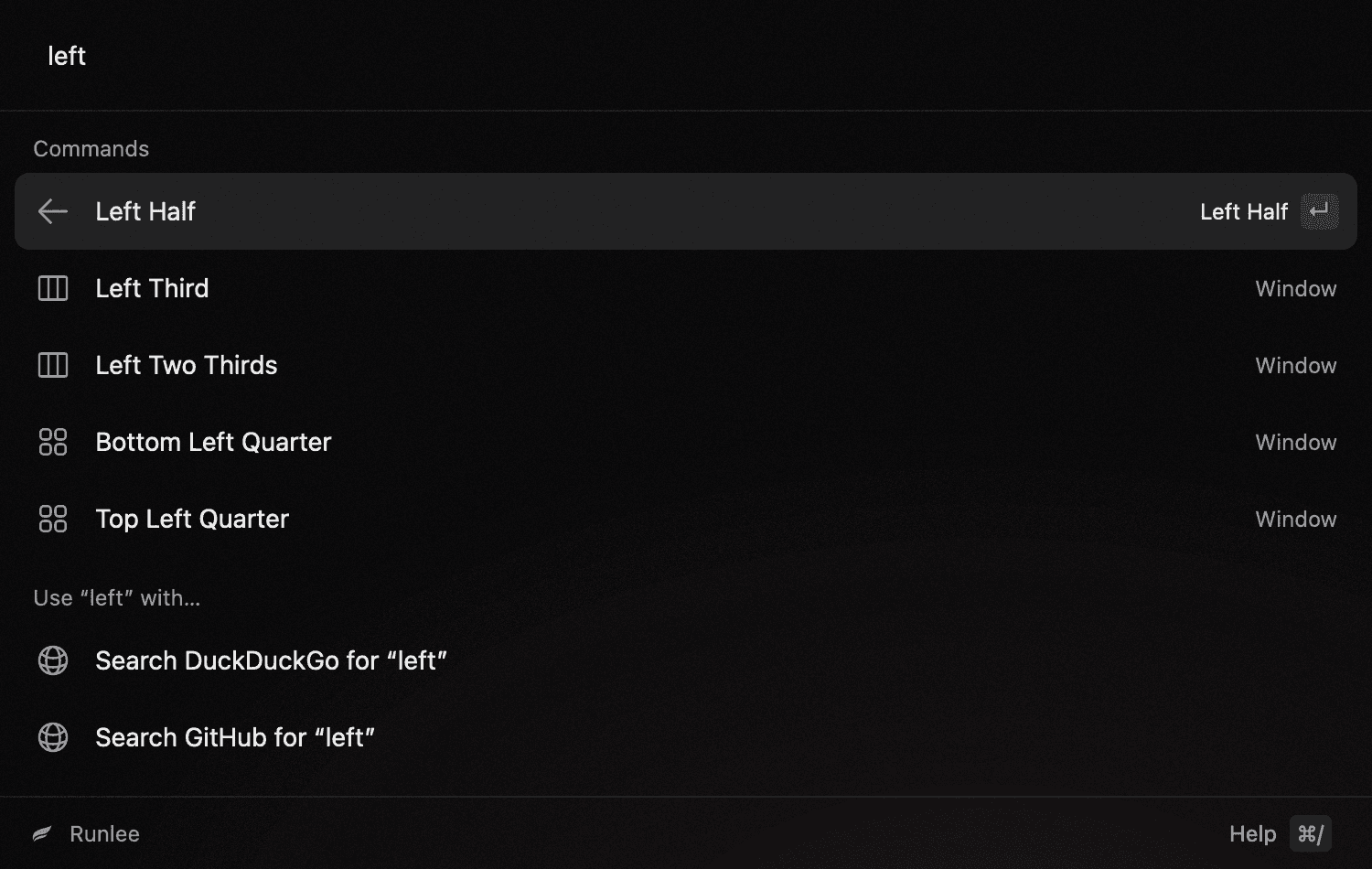
Window management
Snap the window you were using to halves, thirds or quarters, maximize it, center it or move it to another display.
Try typingleft halfmaximizenext display
- 05
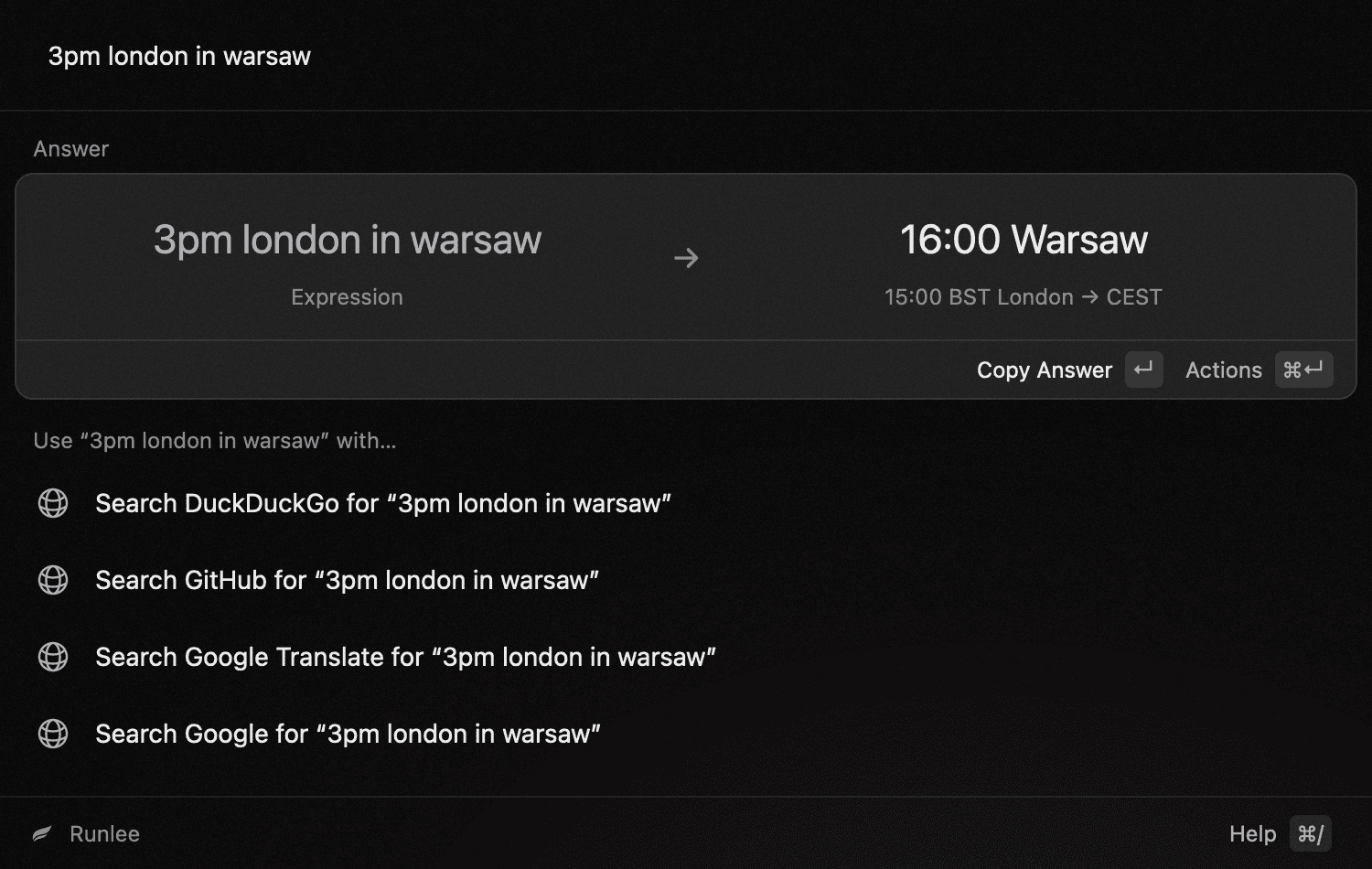
Calculator
Runlee answers maths as you type, along with unit and number base conversions, dates and time zones. Currency conversion works once you turn it on, since it needs the network.
Try typing5 km to mitoday + 45 days3pm london in warsaw
- 06
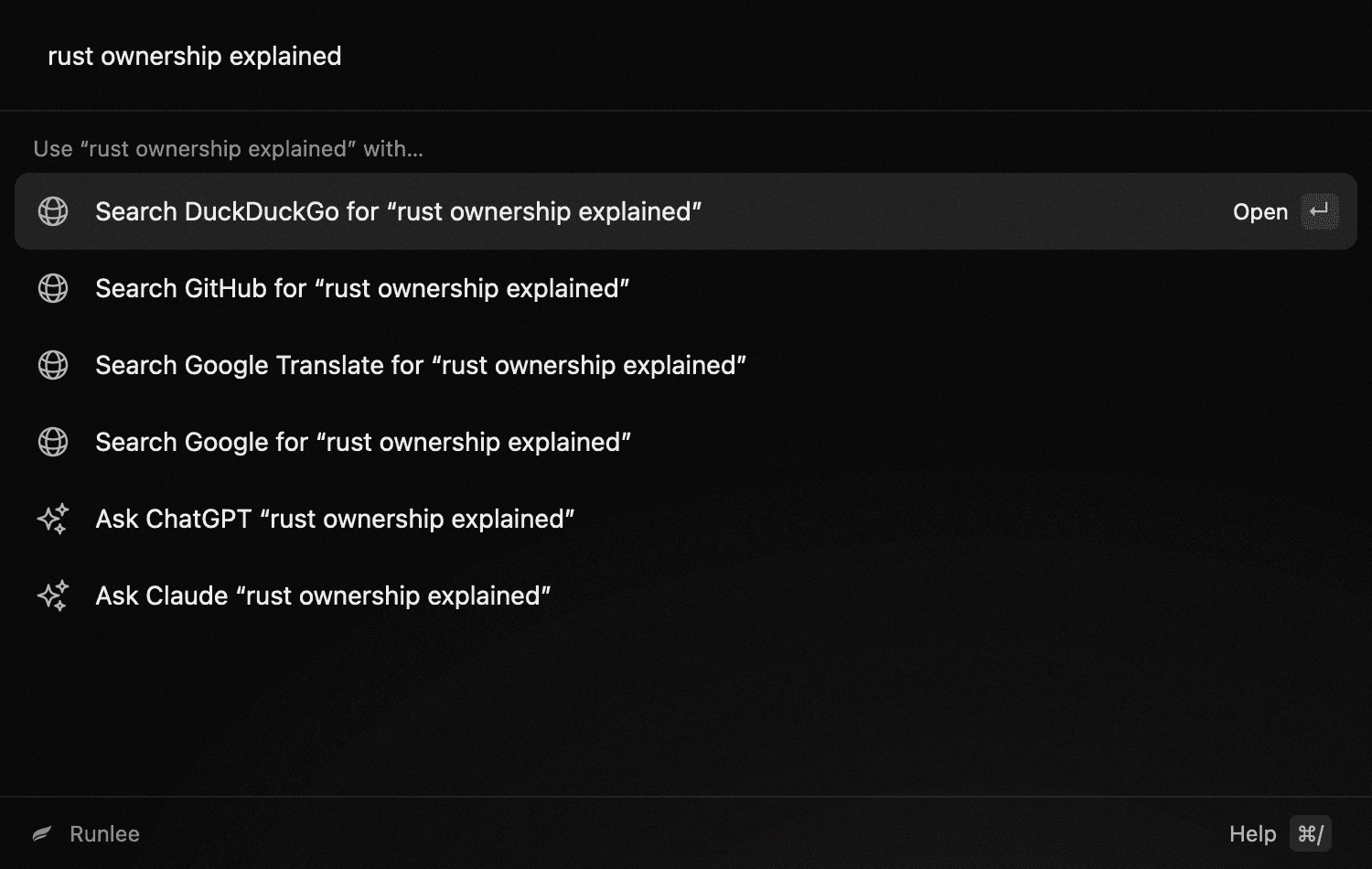
Quick links
Type an alias and a query to search GitHub, translate a phrase or start a chat in ChatGPT or Claude. The link opens in your browser. Whatever you type can also go to any of them from the bottom of the list, and you can add your own links for any site.
Try typinggh tokiotr dzień dobrycl explain this regex
- 07
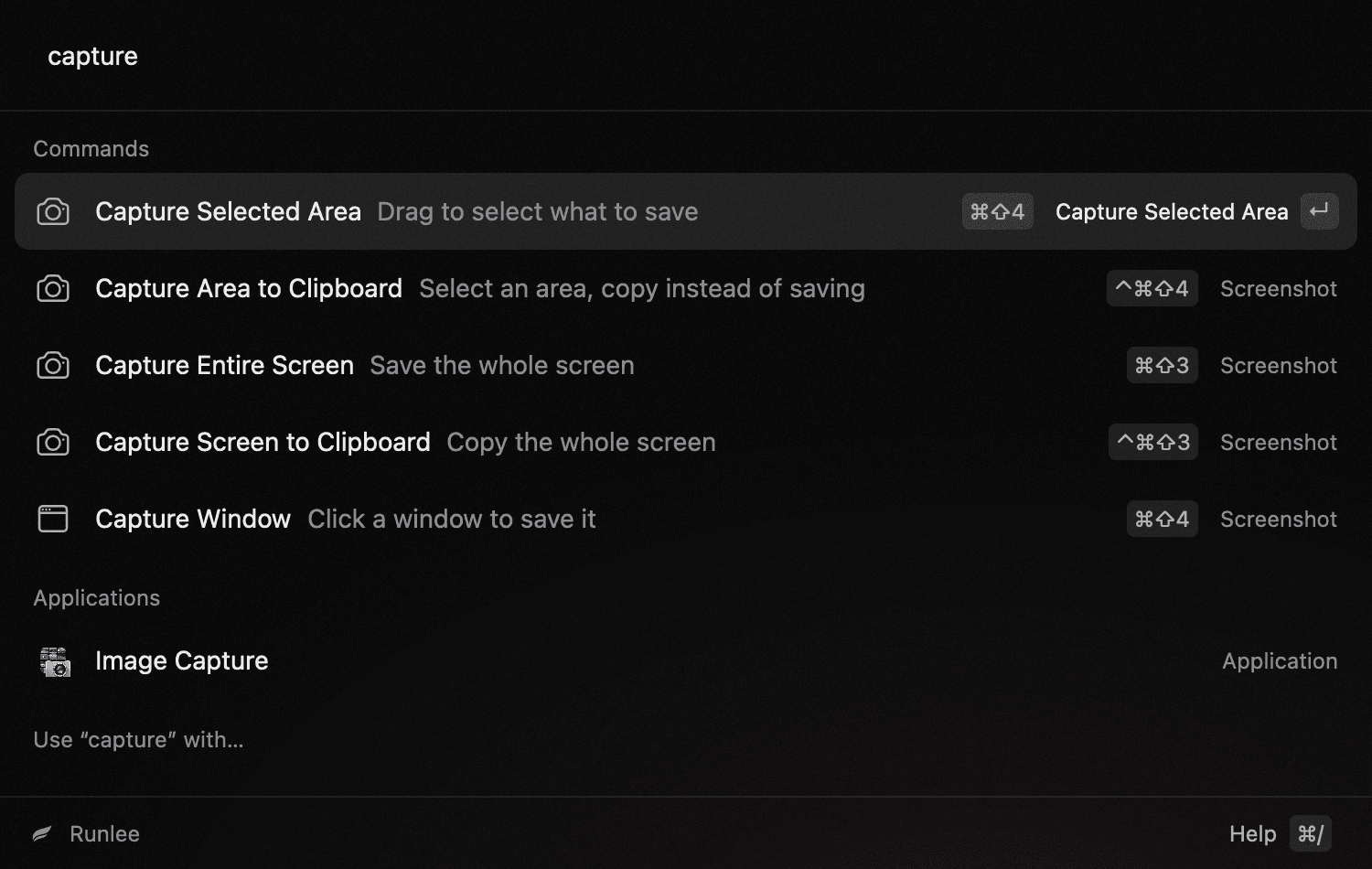
Screenshots
Capture the whole screen, an area or a single window, and save it to a file or copy it to the clipboard. Your newest screenshots show up in Recent Files.
Try typingcapture
- 08
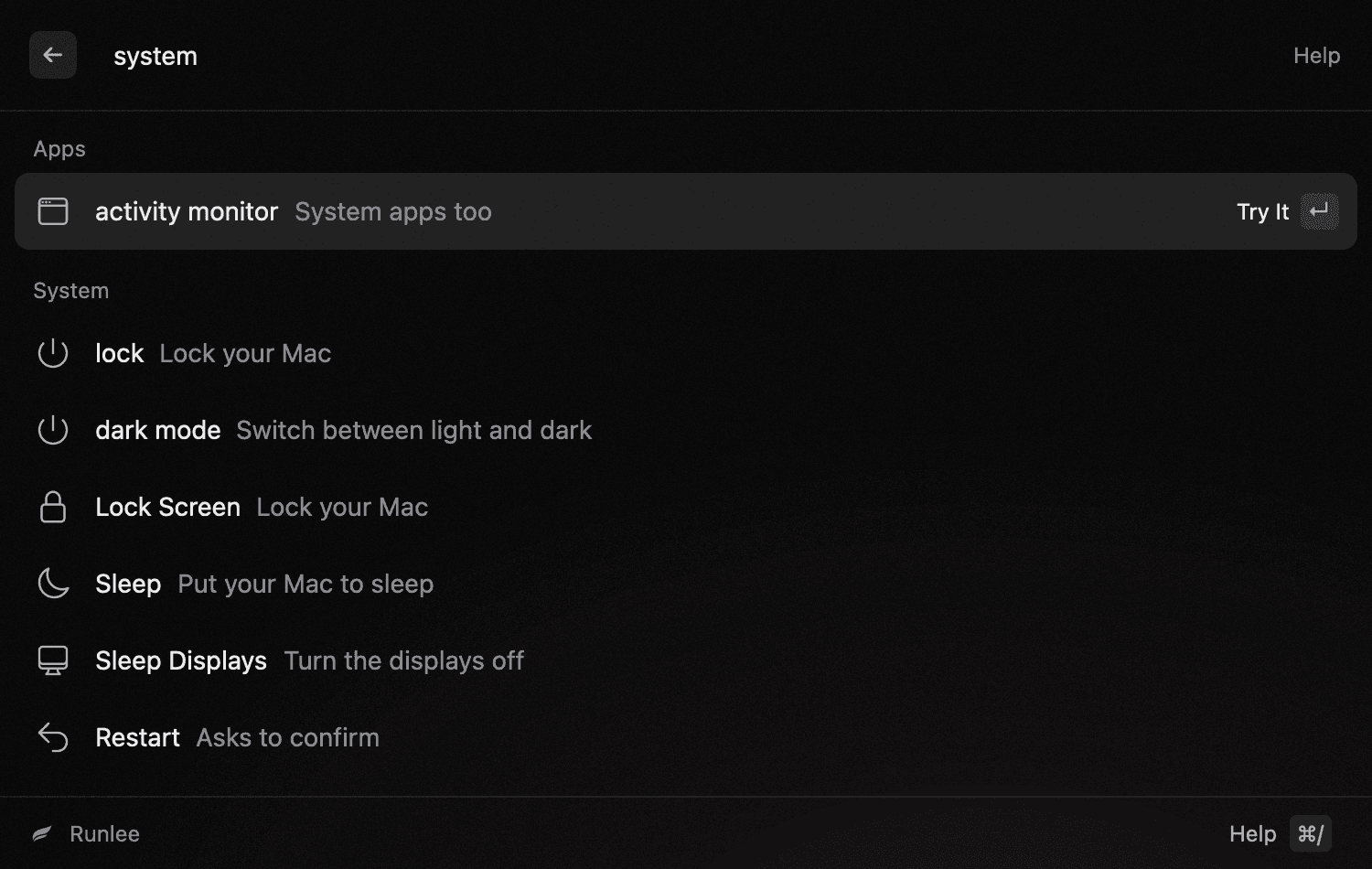
System commands
Lock the screen, sleep, restart, shut down or log out. You can also empty the trash, eject disks, switch dark mode and quit or force quit a running app. Commands that could lose your work ask first.
Try typinglockempty trashquit
- 09
One config file
All settings are in one commented text file that you can edit in any editor and keep with your dotfiles. Changes apply when you save. If you make a mistake, Runlee tells you and keeps using the last version that worked.
theme = "system"

[calc]
# Runlee makes no network requests unless this is true.
currency = false

[clipboard]
max_days = 7
skip_secrets = true

[files]
roots = ["~"]
exclude = ["node_modules", "target", ".git"]

[[quicklinks]]
name = "GitHub Search"
alias = "gh"
url = "https://github.com/search?q={query}"
02 / Why Runlee
A launcher sees everything you type, so Runlee is built to stay fast, light and private on every system it runs on.
Multiplatform
Runlee is on macOS now, and Windows and Linux versions are in progress. Some features depend on what each system allows, so not every one will be on every platform.
Fast and lightweight
Runlee is written in Rust and drawn on the GPU, so results keep up with your typing. It’s one native app, with nothing else to install or keep running.
Secure and private
No extensions, so no code from other developers runs inside Runlee. No AI, so nothing you type is sent to an AI service. Your clipboard history and file index stay on your computer, in a folder only your account can open. Runlee goes online only for features you turn on yourself, such as currency rates.